CloudFlare Domain Registration Tutorial
Cloudflare is a global platform for buying and resolving domain names. Domains are charged annually, with varying prices; we recommend registering domains ending in [.com] as they are the most standard and internationally recognized.
1.1 Registration and Purchase
I won't go into detail about registration or login: https://dash.cloudflare.com/login
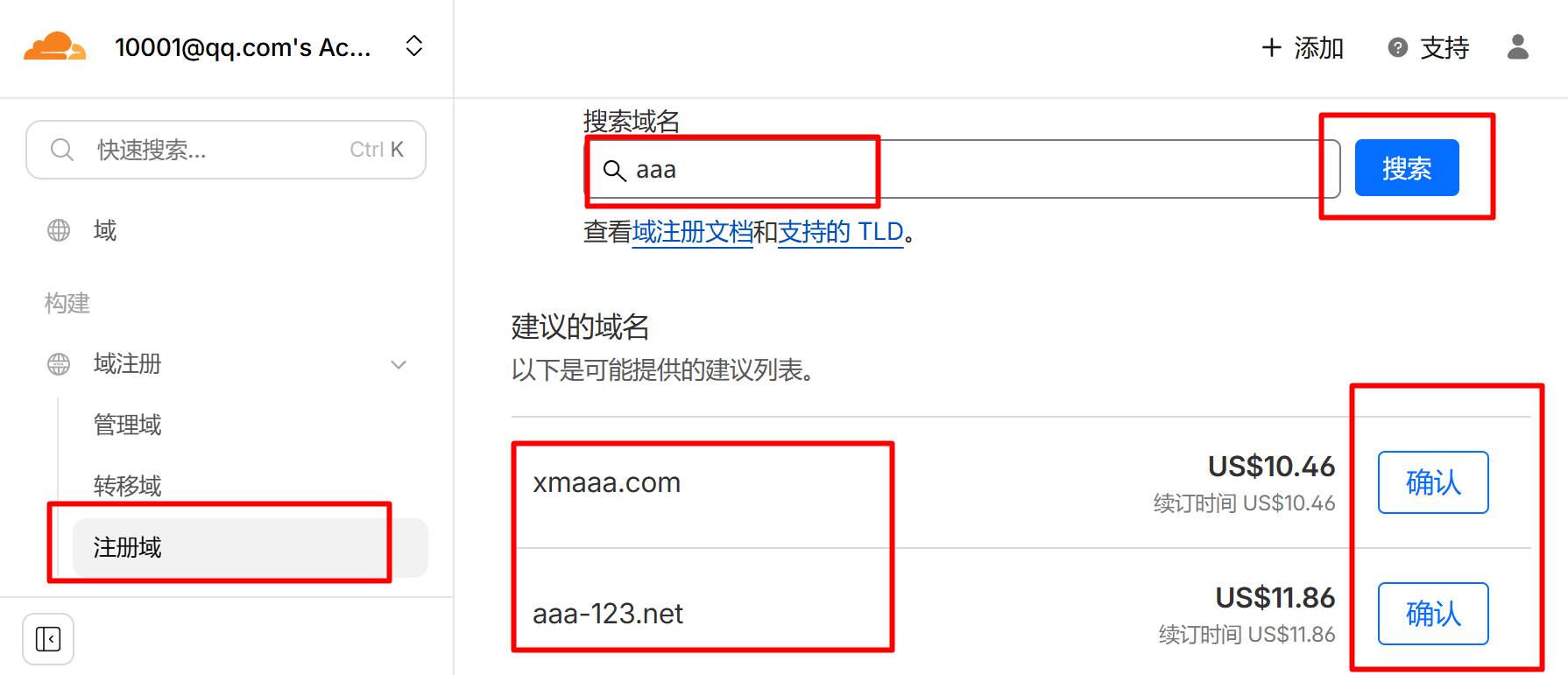
After successful registration, click [Domain Registration] -> [Register Domain], where you can search for and register a domain name.
However, domain registration requires payment in US dollars. You can search for payment agents on Xianyu (a Chinese online marketplace) using keywords like "overseas payment agent," "Mastercard," or "Visa," or you can open a Mastercard savings account at China Merchants Bank with the reason of traveling abroad.
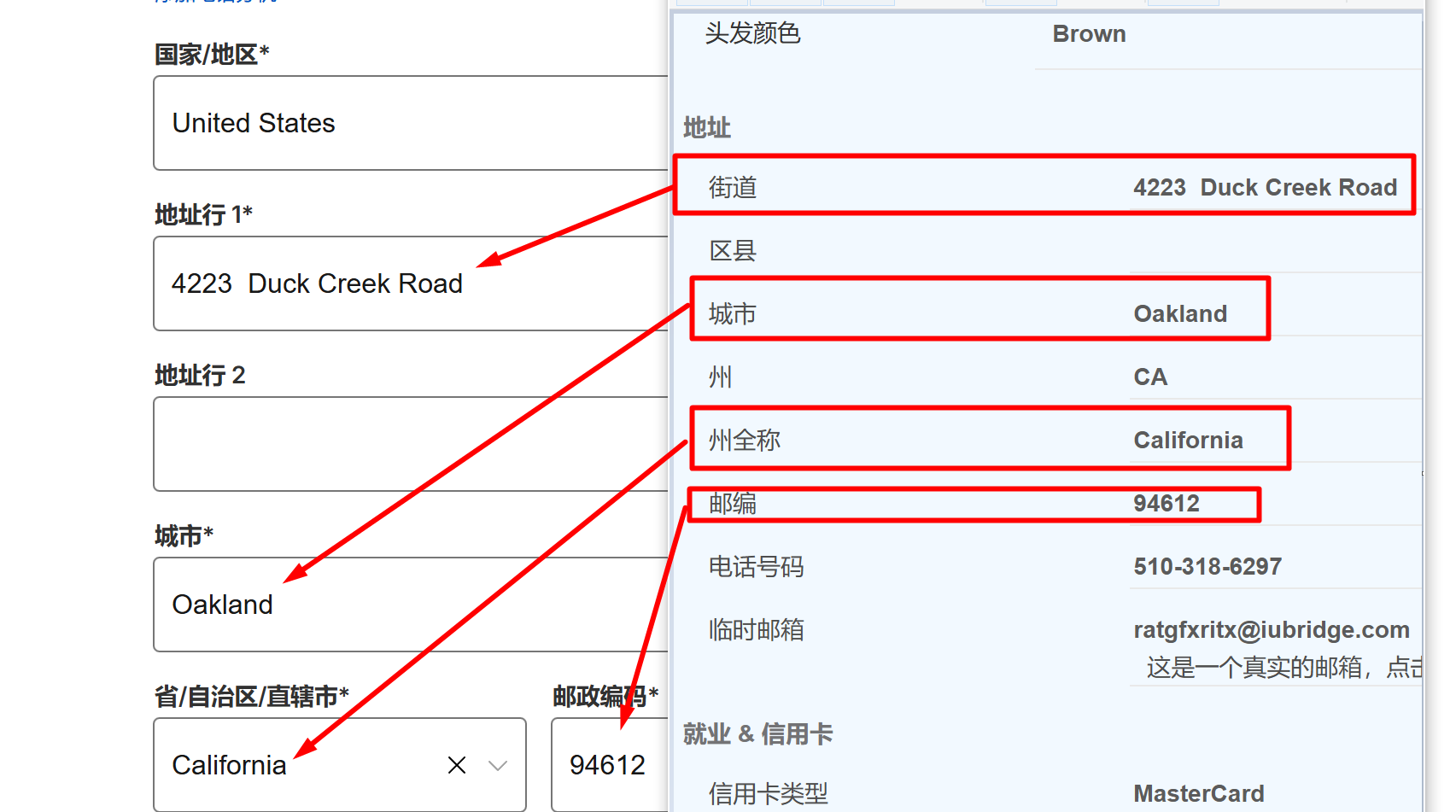
Country Selection: [United States]
For US addresses and zip codes, please visit this website: https://www.meiguodizhi.com/
After obtaining them, fill them in one by one.
Next, fill in your Mastercard card number, date, CVV, account type [Individual], and then make the payment.
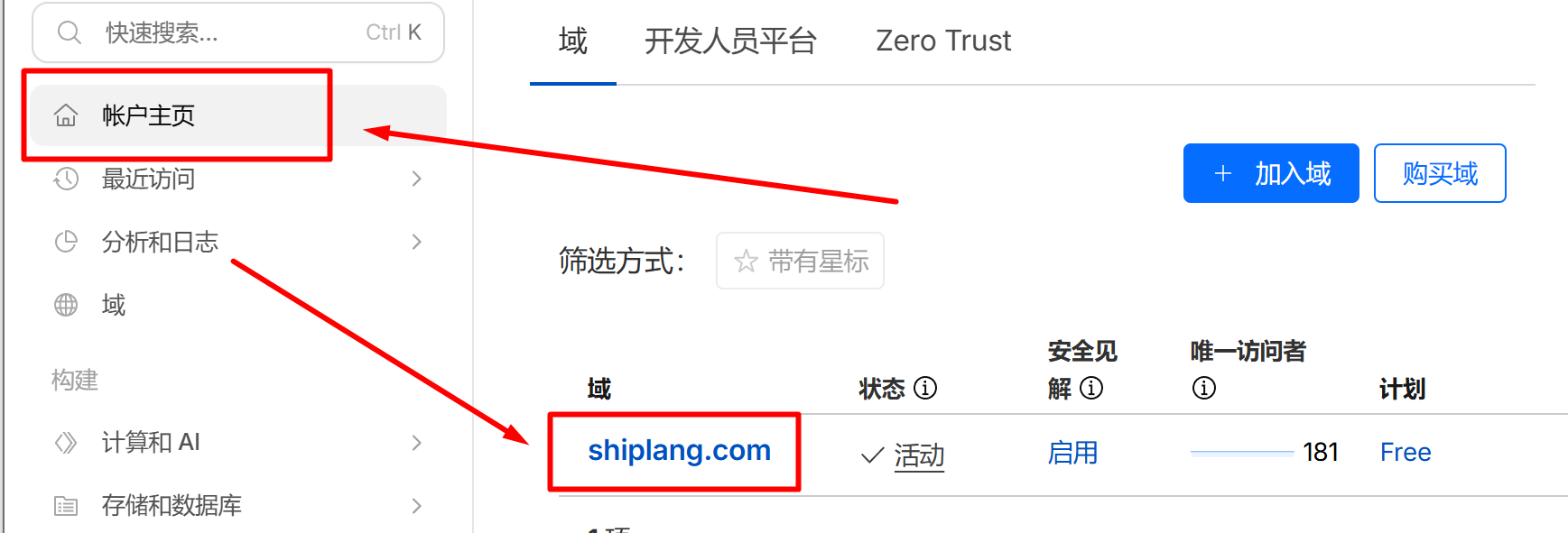
After the purchase is successful, click [Account Homepage], then click on the domain name you purchased.
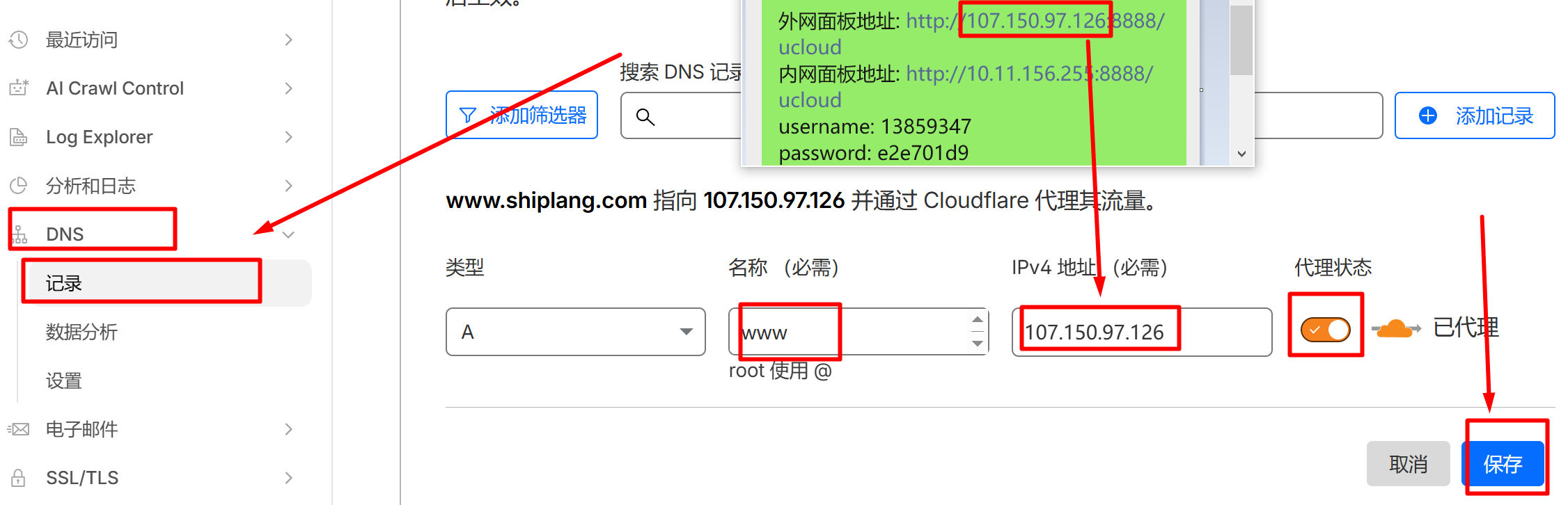
Go to [DNS] -> [Records] -> [Add Record] to point the domain name to the server.
Add the first record: Type A, Name www, IPv4 address: enter your own external control panel IP address, and enable proxy mode.
Add a second record: Type A, Name @, IPv4 address: enter your own external network panel IP, enable proxy mode, and the domain registration and resolution tutorial is complete!